This article explains how to create a CatchKeeper account using your e-mail as your loginID
Step by Step Instructions
Create a step-by-step guide
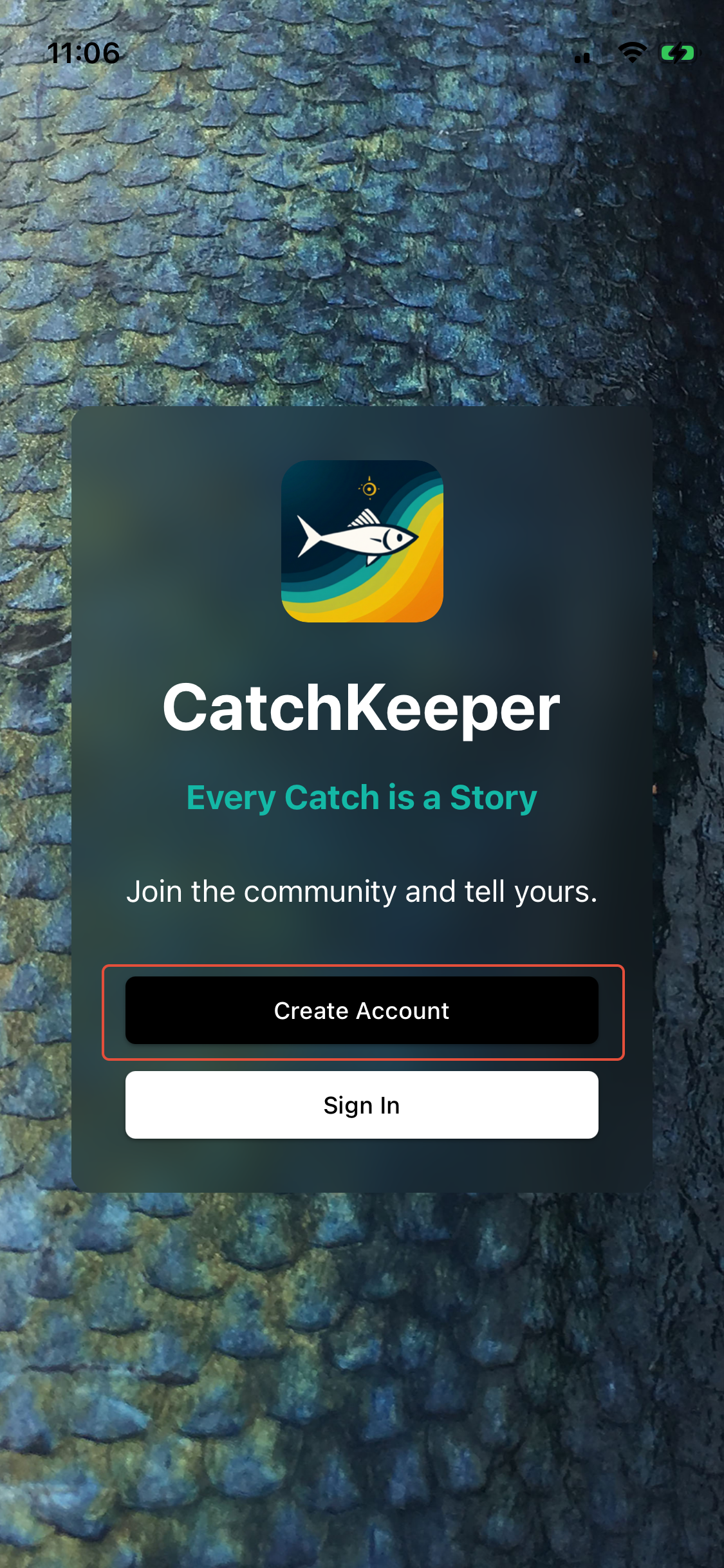
Step 1: Start the account creation process
- Launch CatchKeeper from your mobile screen
- Tap the 'Create Account' option
Step 2: Set your name and e-mail LoginID
- Enter your Full Name
- Enter your e-mail address - this must be a valid address as you will be sent a verification code in the next step.
- Choose a strong password - or let your device set it for you.
- Before you tap the 'Create Account' button - make sure you have familiarised yourself with the Terms of Service and Privacy documentation.
- Tap 'Create Account' to proceed
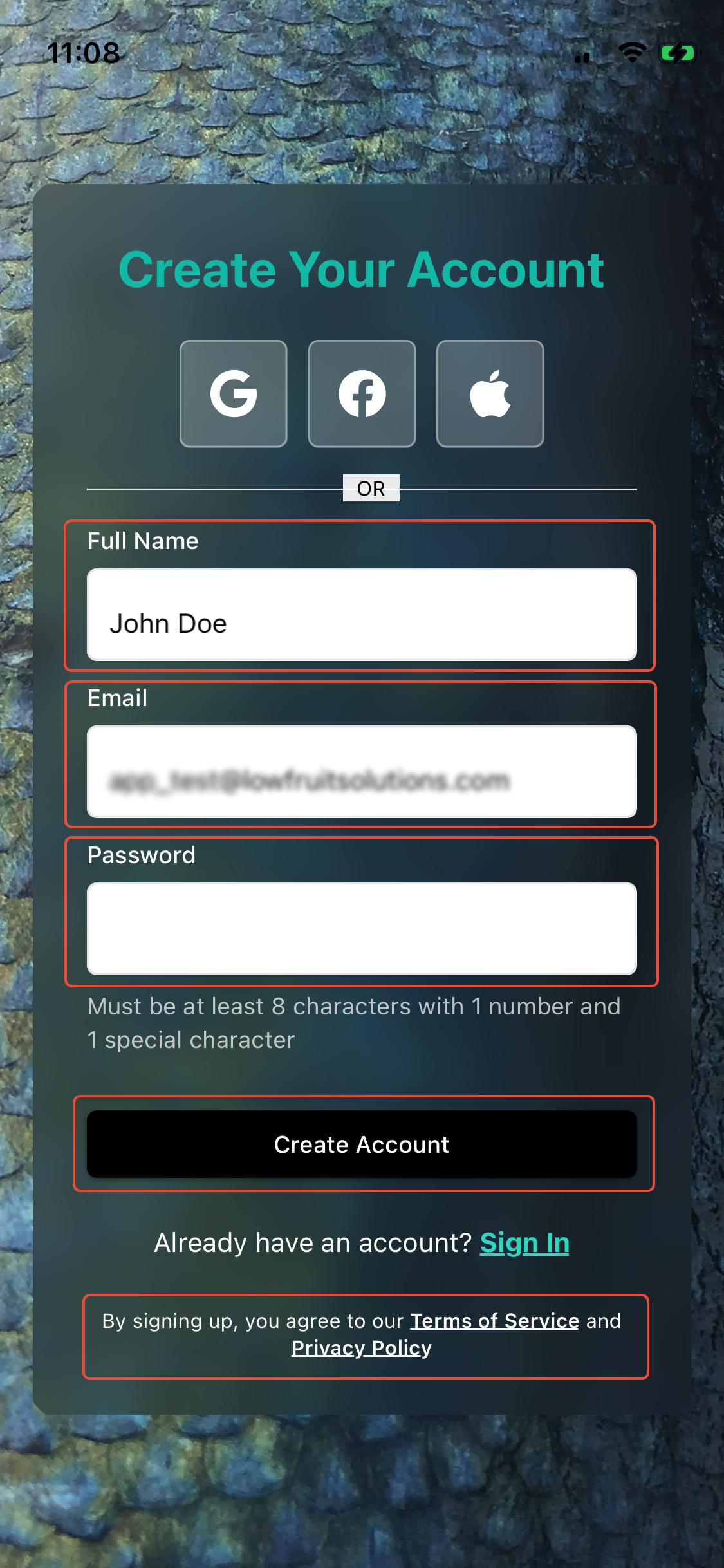
By Creating an Account - you by default are agreeing to our Terms of Service and Privacy Policy.
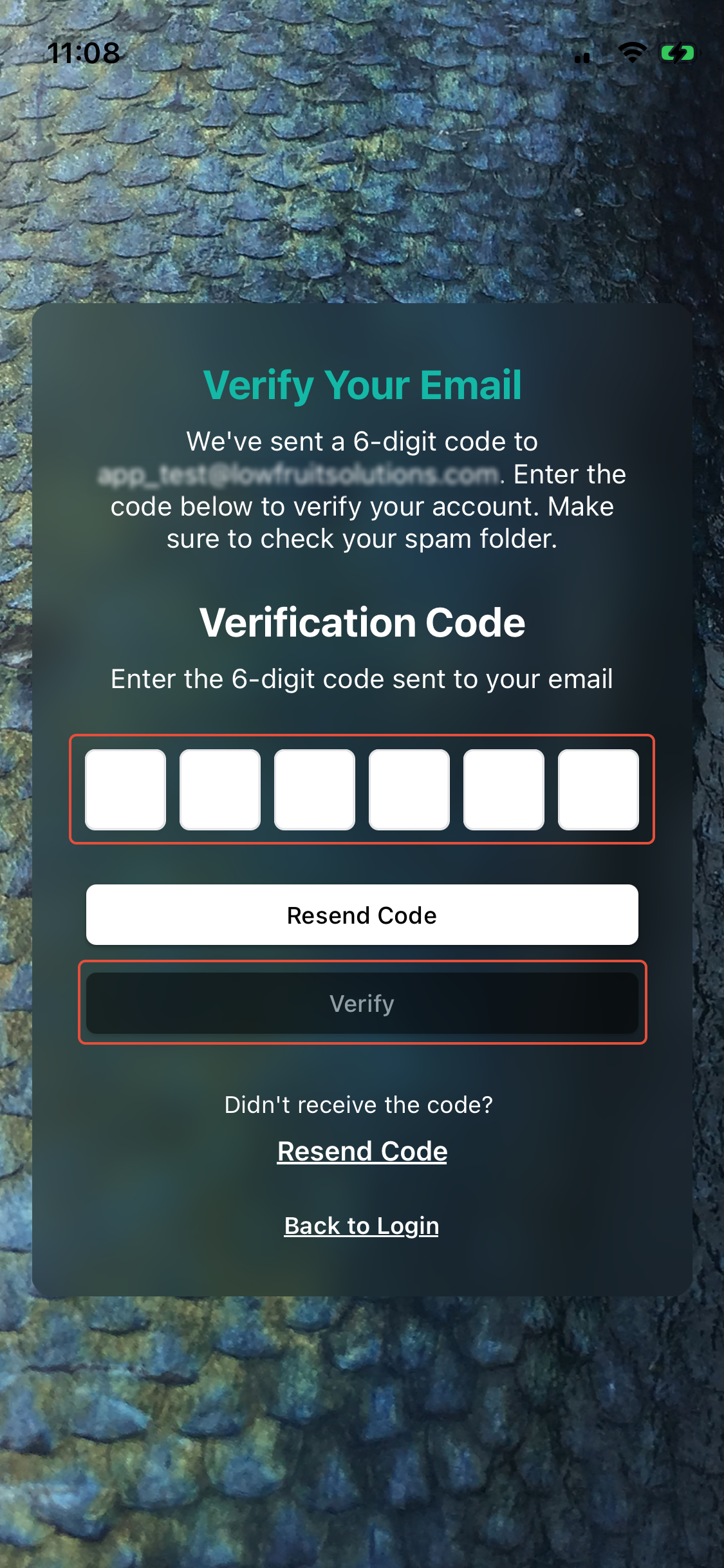
Step 3: Verify your e-Mail address
- Your will receive an e-mail containing a 6 digit code - if you didn't get it, first check your spam folder and then if you still did not recieve it - use the 'Resend Code' option to send it again.
- Enter the code in the respective fields.
- The screen should automatically check when you add the last one but if not - tap 'Verify'
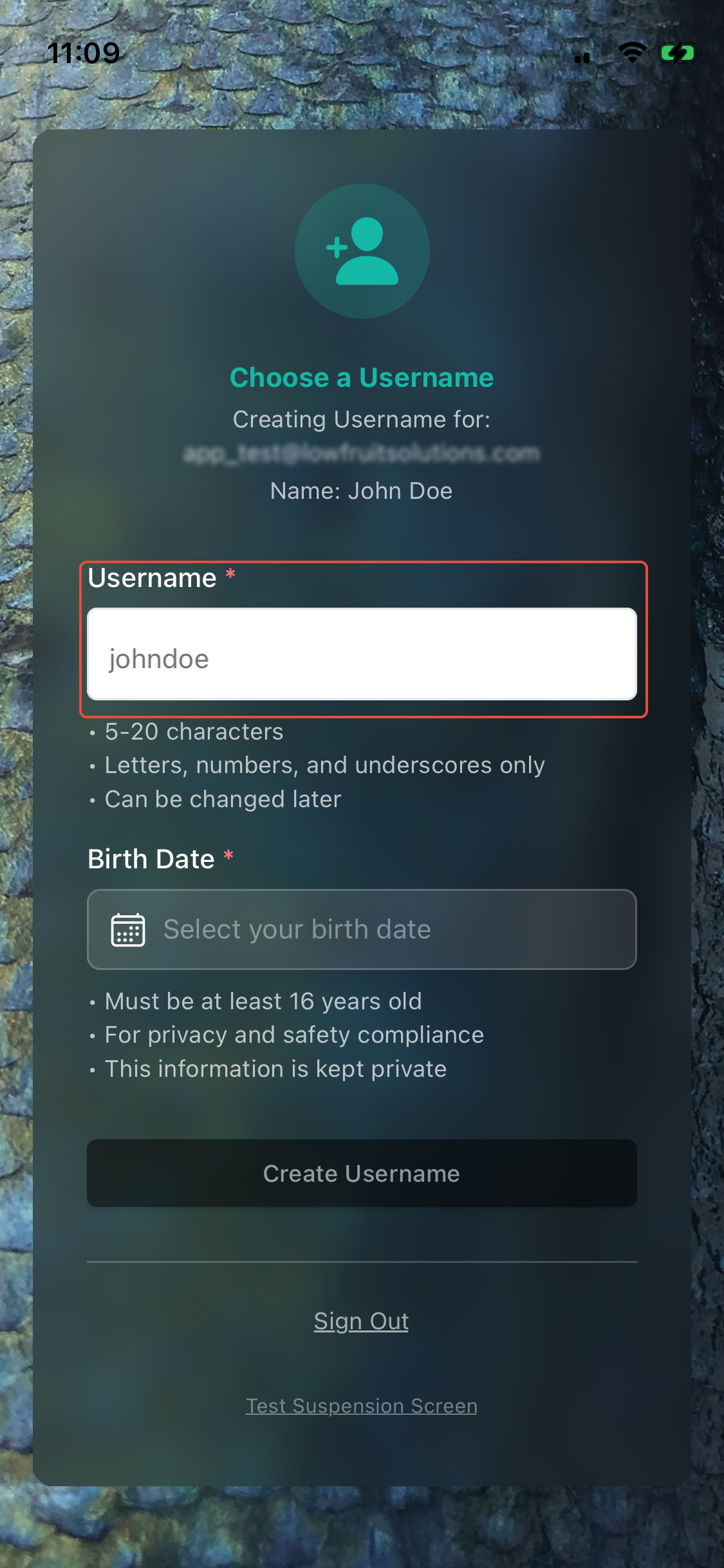
Step 4: Choose your Username
- Your @username is the short name you will have across the app and is used for linking to your CatchKeeper profile. You can change it later if needed.
- Select your actual birth date - its now a legal requirement in several countries to ensure minors do not participate on social and community platforms. This data remains completely private.
- By default - users with ages between 16-18 will have a 'Private' account created
- Tap 'Create Username' to complete your account creation.
- Welcome to CatchKeeper!
Was this article helpful?
That’s Great!
Thank you for your feedback
Sorry! We couldn't be helpful
Thank you for your feedback
Feedback sent
We appreciate your effort and will try to fix the article